Choose your framework, then follow the guide for the app you actually build. The same choice follows you across the docs.
The fastest way
Run one command in the project you already have. The CLI reads the project, prints its plan, waits for a yes, then installs the proven recipe, writes one example page and verifies the build.
npx prequelui-animate initAvailable when the package is released on npm. Until then, the guides below are the exact recipes the command runs.
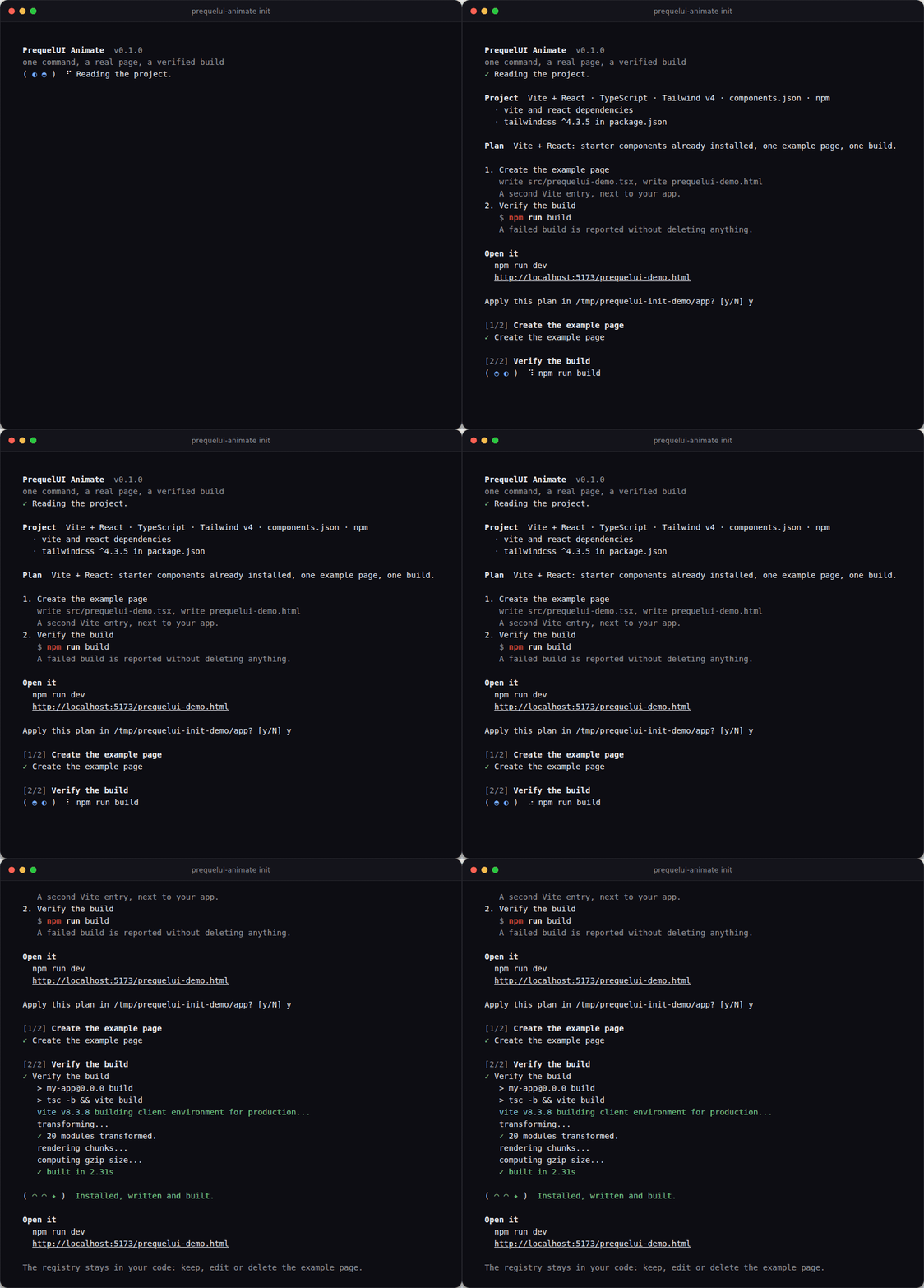
- 1Reads the project: framework, package manager, TypeScript, Tailwind and the registry configuration.
- 2Prints the exact plan and asks one yes/no question. Nothing runs before you accept.
- 3Installs the proven recipe, writes one example page and runs the build.
- 4Ends with the start command and the address to open.
Detects and installs on:
Choose your framework
The 31 Base UI components are written for each framework, not wrapped from another one. A React component keeps React refs, a Vue component keeps Vue props, and every file uses the same durations, springs and reduced-motion branch. The animated families ship in every framework; each card in the catalogue lists where the component runs.
React7 guides below.This choice also sets the framework used by the code tabs in the docs.
React installation guides
Each guide is written for one target. Pick the one that matches your app, then follow its steps from top to bottom.
React
Meta-frameworks
All installation guides
Every guide is listed below, grouped by framework. The chosen framework stays highlighted; open any other guide directly, without going back to the selector.
The shape of every guide
Each page covers the same six things in the same order, so you can jump to the step you need whether the app is new or already shipping.
Prerequisites
Your framework's version, Tailwind CSS v4 and one import alias.
One add command
The registry writes the component, its motion helpers and its dependencies.
Light, dark and reduced motion
Every guide ends with the same checks, on desktop and on a phone.
New app or existing app, with the exact scaffold command.
Configuration: alias, Tailwind CSS v4 and the motion provider when there is one.
Add a component, then use it in a page or route.
Dark mode and a short verification checklist.
Add your first component
In a React app that already has its registry configuration, the dialog is one command. The CLI resolves its dependencies, writes the surface and the shared motion file, and leaves your own components untouched.
npx shadcn@latest add https://prequeluianimate.terravidhal.me/r/react/dialog.jsonThe React registry, through the shadcn CLI.
If your stack is not listed
The manual guide is the shortest path for a custom webpack, Rspack, Parcel or micro-frontend build. If your framework can render React islands or a React root, it can use the React components; if it cannot, the vanilla item is the portable fallback.